An iPhone camera for your projects
Project photos.
Outside Photos.
Take photos in their own space on your iPhone. Review, name and share them through Files.
$0.99 USDOne-time purchase. Local prices vary.
No account or subscriptionOpen the camera and get started.
iPhone · iOS 17+Capture and review offline.
Keep the useful details.
Keep your camera roll yours.
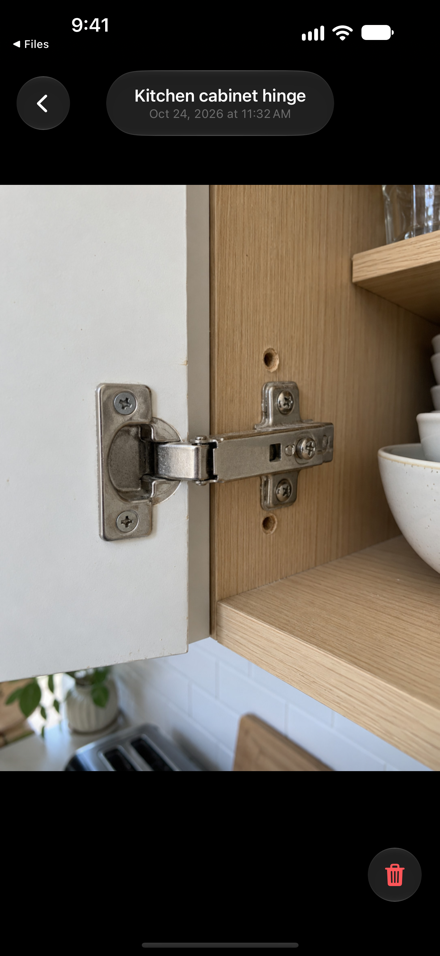
Cabinet hinges. Paint labels. A build in progress. Local Cam gives these photos a separate home, without adding them to the Photos library.
Local Cam is an iPhone camera that saves new still photos as JPEG files in its own local folders. Find them in Files → On My iPhone → Local Cam.
From photo to file.
Take it in Local Cam.
Allow camera access and take a photo. It goes into the local Ready to Upload folder, separate from Photos.
Give the detail a name.
Tap the latest-photo thumbnail to review your pending photos. Tap a filename to rename it before sharing.
Share through Files.
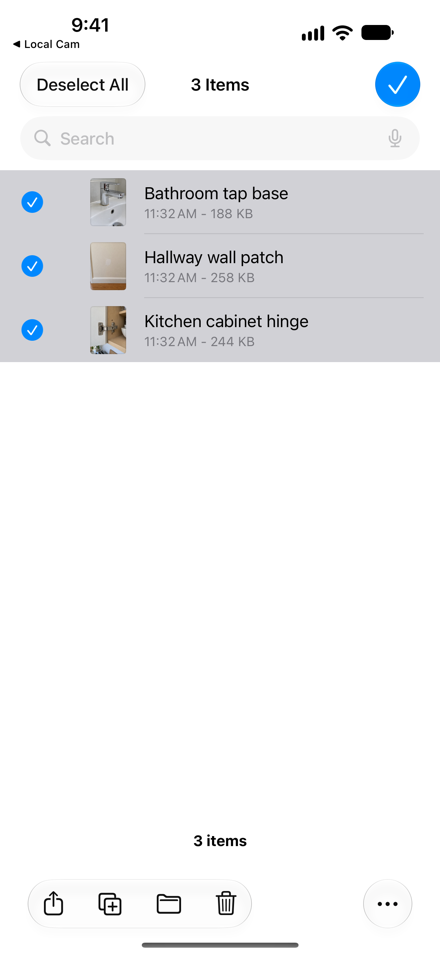
Open the Local Cam folder in Files. Select your photos and share, copy or upload using your chosen destination.
Simple, with clear boundaries.
Your photos stay separate.
Captures are not added to Photos or its iCloud Photos library. Your device backup settings may still include Local Cam's files.
You choose when to share.
Local Cam does not upload automatically. All Files Uploaded only moves pending files into the local Uploaded folder after you confirm.
A camera for new stills.
Local Cam captures JPEG photos. It does not record video, import your existing photo library or provide a backup service.
No developer photo account.
The app has no account, advertising or analytics SDK. Read the privacy policy for storage, backups and support details.
A place for your project photos.
A few useful answers.
Can I take photos without internet?
Yes. Capturing, reviewing and renaming work offline. An online sharing destination needs a connection when you send the files.
Does this move the pictures already in Photos?
No. Local Cam is for new photos taken in the app. It does not import, organize or remove your existing Photos library.
What happens if I delete Local Cam?
Deleting the app can remove its local photos. Export and verify important files before deleting the app or changing phones. Backups depend on your device settings.